
Go to primary content Go to footer

Staff location and coordination with Columna Flow Search & Find

Single rooms made care better - and made the colleague you need harder to reach.

When a colleague raises a personnel alarm, help has to reach them fast – but on a large, single-room ward, knowing exactly where they are and who is closest is rarely quick. Columna Flow Search & Find works with your alarm and nurse call systems to show where the alarm came from and alert the nearest colleague who can respond. The same view helps you find any colleague and see whether they're free the rest of the shift, so less of the day goes on searching the building.
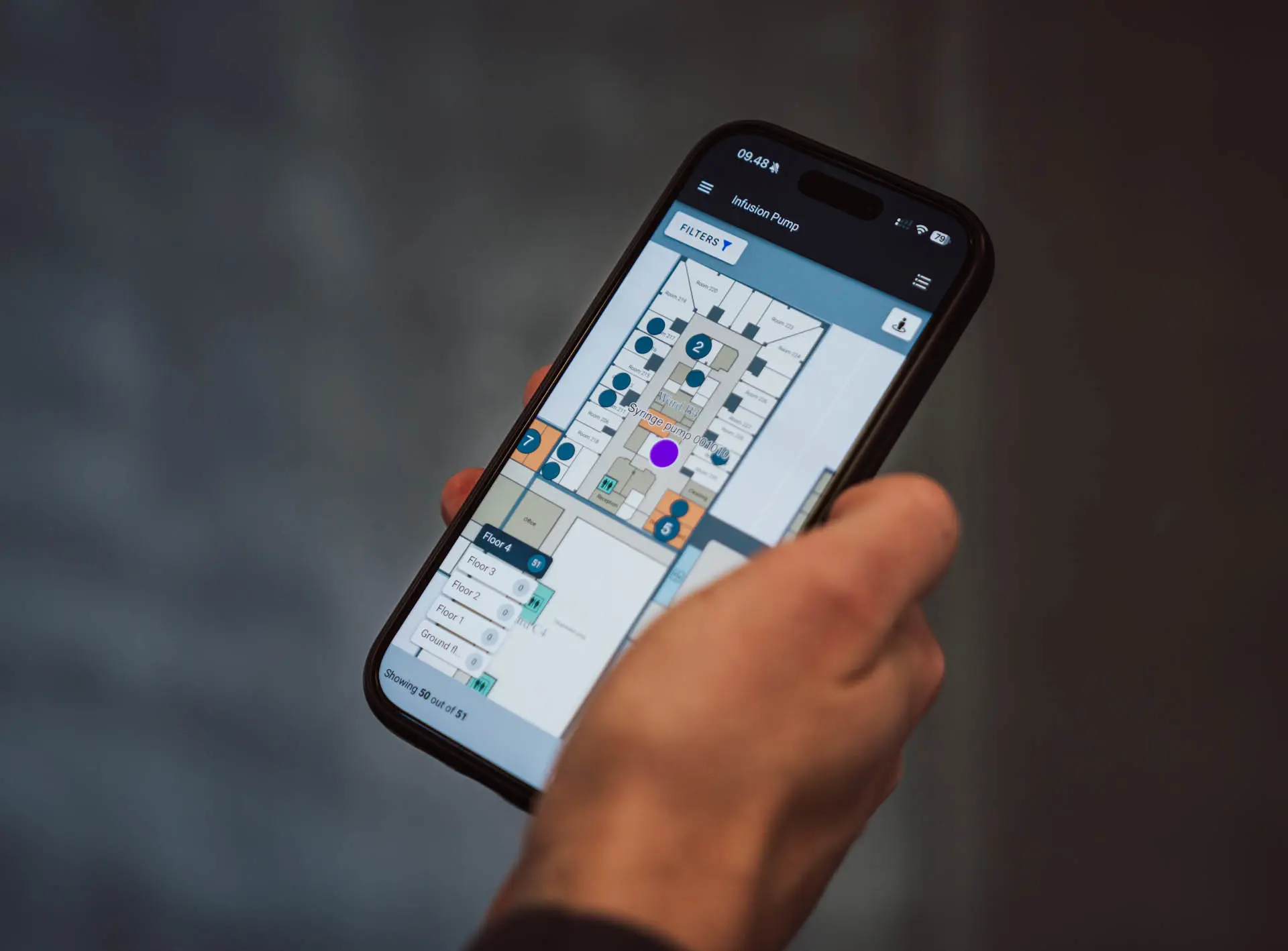
Mobile phone displaying interactive hospital floor map with medical equipment tracking and search functionality
See where colleagues are and whether they're free or with a patient, so you can reach the right person without interrupting the wrong one.

From raising the alarm to reaching the right person

When a colleague needs urgent help, the response is only as fast as the search that follows. On a spread-out ward of single rooms, that can mean calling round, checking corridors and working out who's closest while the seconds pass. The same friction shapes every ordinary shift: finding a senior nurse or a specific doctor means phone calls, messages and a walk, and often interrupting someone mid-task just to ask where a colleague is.

A colleague needs help - find them fast

  • Search Square Streamline Icon: https://streamlinehq.comsearch-square
    See where a colleague who needs help is

    When a colleague raises the alarm, Search & Find shows exactly where they are on a map or ward view. Instead of checking rooms and corridors while the clock runs, you can go straight to them – the minutes you save are the ones that matter most.

  • Find the right colleague at the right moment

    When you need a particular colleague – a senior nurse, a specific doctor, the right skill – see where they are and whether they're free or with a patient, so you go straight to them at the right moment. Fewer needless interruptions, and the time you'd spend searching goes back into patient care.

  • Certificate Authentication Document Badge Check Streamline Icon: https://streamlinehq.com
    Configured around staff privacy

    Staff location is set up on terms your teams agree. Tracking can be switched off for anyone who opts out, areas like break rooms can be left off the map, you choose how precise a location to show, and no history of where people have been stored, so staff can trust how it's used.

What changes across a shift

Knowing where colleagues are and who's free changes the rhythm of a shift. When an alarm goes off, you can see where it came from at a glance instead of searching, routine questions get answered without walking the ward, and staff interrupt each other less. The result is a ward that stays calmer day to day and responds faster when it counts.

In Danish healthcare, staff location using GS1 standards has been documented as a way to locate staff and create calm on the ward (GS1 Denmark, with Region Midtjylland).

Close-up of a person's hands using a smartphone.
Calmer wards and faster response times when you can see availability and the nearest responder

Works with your nurse call and alarm systems

Search & Find connects with the nurse call, personnel alarm and communication systems your hospital already uses, so location sits alongside the alerts your teams already rely on – no separate tool to learn. When an alarm is raised, you can see straight away where it came from.

Learn more about Columna Flow IoT, interoperability and integrations →

Illustration of data tied together

See how staff coordination works for your hospital

Our team can show you how Search & Find fits with your alarm and nurse call systems, using real examples from hospitals similar to yours.